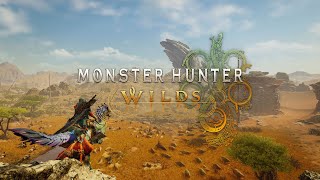
Monster Hunter Wilds on Cloud Gaming

Monster Hunter Wilds is playable on cloud gaming. You can currently play it on 4 different cloud gaming services: GeForce Now, Boosteroid, Shadow and airgpu.
Monster Hunter Wilds is available on:




Monster Hunter Wilds is not available on:


Rating:
5 / 10
(189369 ratings on Steam)
Description: The unbridled force of nature runs wild and relentless, with environments transforming drastically from one moment to the next. This is a story of monsters and humans and their struggles to live in harmony in a world of duality.
CAPCOM Co., Ltd.
Developer: CAPCOM Co., Ltd.
Release Date: 27.02.2025


How to play Monster Hunter Wilds on cloud gaming
You can play Monster Hunter Wilds on cloud gaming in two ways: by streaming your own game copy (BYOG) or by installing it on a full cloud PC. Below, we outline both methods so you can choose the one that works for you.
Bring your own game (BYOG)
If you want to play Monster Hunter Wilds on cloud gaming with your own copy, you can use a catalog-based service that supports it as a BYOG title on its subscription plans:
- Boosteroid: works with any plan
- GeForce Now: requires the Performance or Ultimate plan (Install-To-Play)
To use your own copy of the game, you need to link the store account where you own it to the cloud gaming service. Supported store versions can vary by service:
| Service | Supported store versions |
|---|---|
| Boosteroid | Steam |
| GeForce Now | Steam |
Once your store account is linked, you can open the service's catalog, select Monster Hunter Wilds, and start streaming in your browser or a supported app. Depending on the service, a brief cloud setup may be required before the first launch. The plan can also be used to stream other games you own that are available in the service's catalog.
On GeForce Now, Monster Hunter Wilds is an "Install-2-Play" title, so it must be installed on the GFN server before you can stream it. This happens automatically on launch and doesn't take more than a couple of minutes.
Install and play on a cloud PC
With a full cloud PC service, you can install and play almost any PC game, including Monster Hunter Wilds, on a virtual desktop in the cloud:
- Shadow PC: Provides a full Windows desktop you can access via apps or a browser.
- airgpu: Offers a Windows-based cloud PC you access via remote-desktop apps.
After setting up your cloud PC, you can install almost any supported store version of Monster Hunter Wilds and use additional 3rd party tools or mods if the game supports them.
Did Monster Hunter Wilds perform well on cloud gaming?
We’ve tested Monster Hunter Wilds on cloud gaming services. Watch our gameplay video for a hands-on view, and check out the real-world performance metrics and FPS benchmark.
Video Analysis: How to play Monster Hunter Wilds on cloud gaming
Test Summary: Monster Hunter Wilds performance on cloud gaming
Monster Hunter Wilds launched with performance issues on many PCs, making cloud gaming an interesting alternative. We tested the game on Boosteroid and ShadowPC to see which service delivers the best experience.
Monster Hunter Wilds on Boosteroid:
In our test, Boosteroid ran the game flawlessly at 60 FPS (1080p) on ultra settings with no noticeable stuttering or drops. Queue times were around 5-10 minutes, but once in, the game launched almost instantly.
At €7.49/month, it’s a cost-effective and hassle-free option, though modding is not possible.
Monster Hunter Wilds on Shadow:
ShadowPC offered more flexibility, including full mod support, but in our test, the game struggled to exceed 40 FPS (1080p), no matter which graphic settings we used. Performance was playable but not as smooth as on Boosteroid.
The initial setup took about an hour, requiring download, installation, and shader compilation, but once set up, ShadowPC provided a full Windows experience with more control over settings.
At $49.98/month, it’s a significantly more expensive option, but may appeal to users who play multiple games and need a versatile cloud PC.
Our Recommendation
Based on our test, we would choose Boosteroid for its smooth 60 FPS gameplay, quick access, and affordability. ShadowPC remains a solid option for those who want mod support or need a full cloud PC, but for Monster Hunter Wilds, performance was noticeably lower in our test.
Performance Metrics: FPS benchmark for Monster Hunter Wilds on cloud gaming
Numbers don’t lie. Here’s the FPS benchmark for Monster Hunter Wilds on cloud gaming services:
Monster Hunter Wilds Trailer: